Business email on your own domain
Orvix gives your team professional addresses, a modern webmail app, and one calm portal for domains, mailboxes, and services — with guided setup from first domain to first inbox.
Your 5-day trial starts when you activate it — not when you sign up, verify your email, choose a plan, or add a domain.
- ✓ Custom-domain mailboxes
- ✓ Modern webmail
- ✓ Customer portal
- ✓ Guided DNS setup
- ✓ Migration planning
- ✓ Tenant-isolated security
Webmail
An inbox your team will actually enjoy
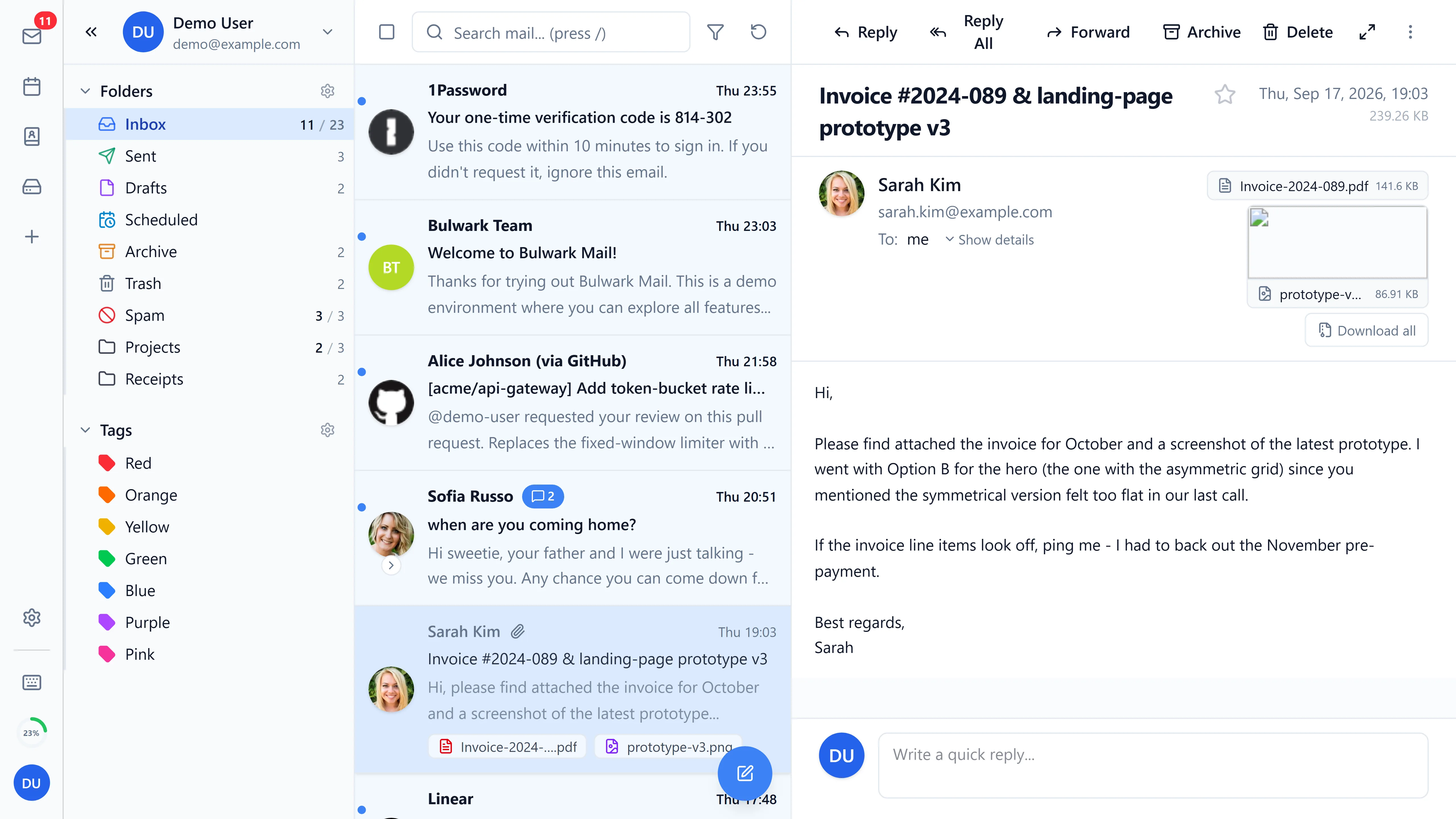
Orvix Webmail is a fast browser mail app for everyday work: reading, composing, folders, and search — on desktop and on the go.
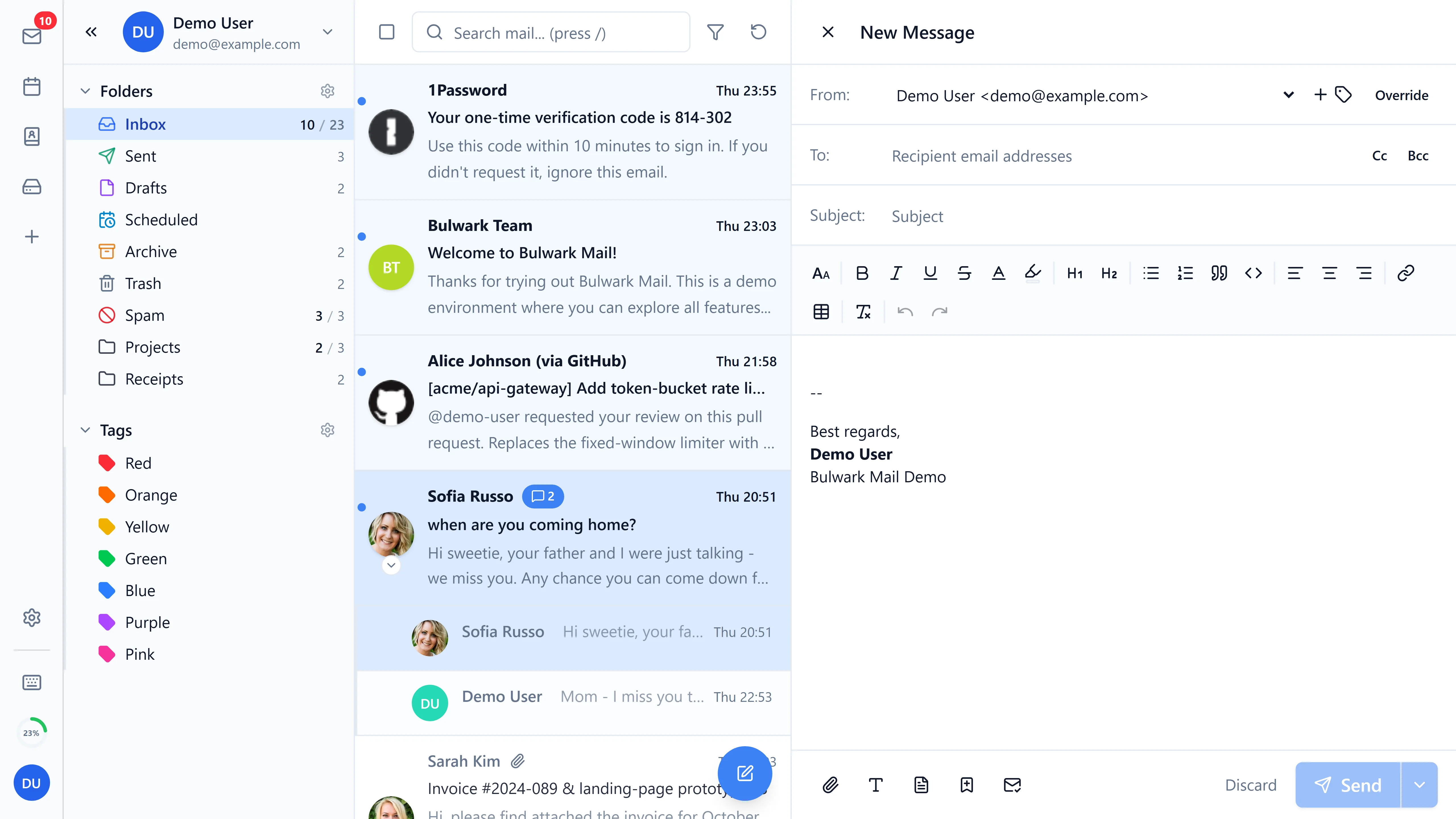
- Compose with confidence. Clean message writing with addressing, subjects, and drafts.
- Find anything. Search across folders instead of scrolling through years of mail.
- Work anywhere. A responsive layout that holds up on phones, tablets, and desktops.
Business Email
Your domain, your addresses, your rules
Connect a domain you own and run every address on it — from founder@ to support@ — with explicit setup states at each step.
Domain onboarding
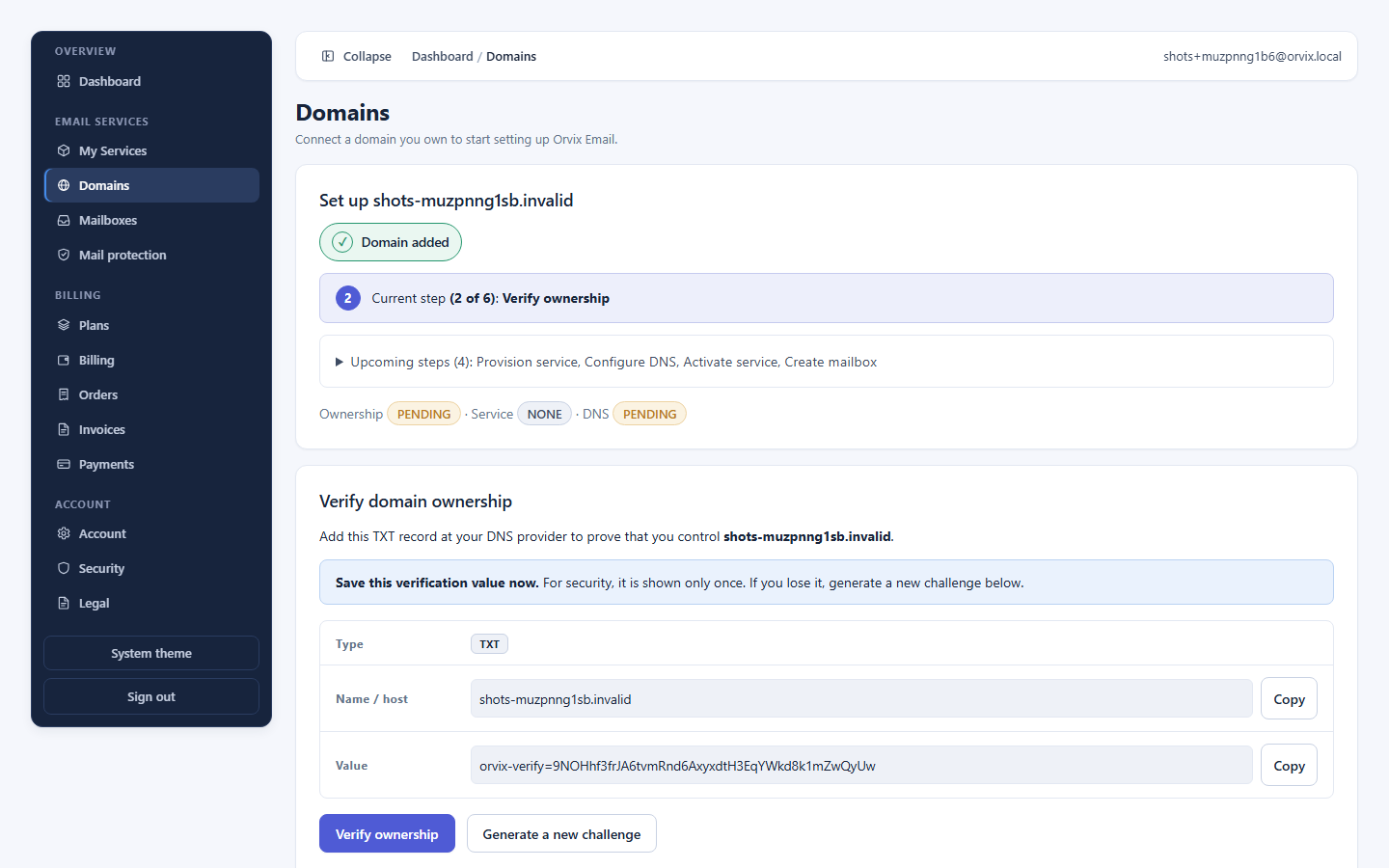
Add your domain, prove control with one DNS TXT record, and watch setup progress from pending to verified.
Service provisioning
Orvix provisions your mail service as a tracked job — visible states, safe retries, no silent steps.
DNS, verified independently
You publish the exact records Orvix shows you; Orvix then checks public DNS itself before marking them good.
One portal for everything you own
Administration lives in the Orvix customer portal — deliberately separate from Webmail, so managing the service never means reading anyone's inbox.
- Domains. Ownership, provisioning, and DNS states with a clear next action.
- Mailboxes. Create addresses per domain, see who owns what, remove with confirmation.
- Services & trials. Plan, service state, and trial status in one lifecycle view.
- Safe removal. Domains with mailboxes are protected from accidental deletion; history is retained.
Security
Serious about separation
Orvix isolates customers by default: your data, your mailboxes, your audit history — and mailbox passwords that are never stored.
- Tenant isolation. Customers can only see and change their own data; access is deny-by-default.
- Transient mailbox secrets. Mailbox passwords pass through a short-lived handoff and never land in our database, logs, or audit trail.
- Audited administration. Administrative actions are written to an audit log you can review.
- Encrypted connections. Your connection to Orvix portals travels over HTTPS with strict transport policy in production.
From signup to first inbox in five steps
A guided path with no dead ends: you always know the current step, and your trial only starts when your service activates.
Create your account
Sign up and verify your email address. This identifies you — it does not start your trial.
Choose a plan
Pick the plan that fits your team. Saving a plan starts nothing — billing comes later.
Start your trial or check out
Activate the 5-day free trial to unlock setup now, or buy your plan to unlock the full service.
Add and verify your domain
Connect a domain you own and prove control with a DNS TXT record.
Provision, DNS, mailboxes
Orvix provisions your mail service, shows the exact DNS records to publish, then you create mailboxes.
Built to grow with you
One service, from first founder address to company-wide mail.
Professionals & small teams
A credible you@your-domain address with a modern webmail app and no server to run.
Small & growing businesses
One portal for every employee mailbox, domain, and service — with clear setup guidance.
IT administrators
Explicit provisioning states, DNS verification, audit history, and honest failure messages.
Migrating organizations
A staged move from your current provider with verification before cutover.
Simple plans, honest preview
Pick the capacity that fits. Figures below come from the billing catalog — the same prices you pay at checkout.
Questions, answered plainly
Can I use my own domain?
Yes. You add a domain you own, prove control with a DNS TXT record, and Orvix provisions mail service for it. Your addresses become you@your-domain.
Can I migrate existing email?
Yes, with a staged plan: assess your current setup, prepare domains and mailboxes, move data, verify, then cut over. Our migration page walks through each stage.
How does the trial work?
Your 5-day trial starts when you activate it from Plans — not when you sign up, verify your email, choose a plan, or add a domain. One trial per account; email verification is required.
Where do users access Webmail?
In the Orvix Webmail app, reached from the Webmail page once it is configured for your environment. Administrators manage mailboxes separately in the customer portal.
Can administrators create mailboxes?
Yes. The customer portal lets you create and manage mailboxes on your verified domains, with dependency protection when removing them.
What happens when storage is full?
Storage limits are shown where the service reports them. If a mailbox approaches its limit, free space or contact Orvix about your plan before mail starts bouncing.
How will billing work?
Plans and prices below come from the billing catalog. Choose a plan in the portal and check out — currency and any taxes are confirmed there.
Can I contact Orvix for business or enterprise needs?
Yes — the contact page routes sales, migration, and enterprise inquiries. Enterprise buyers get a direct conversation about scale and governance needs.
Give your business an address to be proud of
Create your account, connect your domain, and send your first you@your-domain email. Your trial begins at activation — setup itself is free.